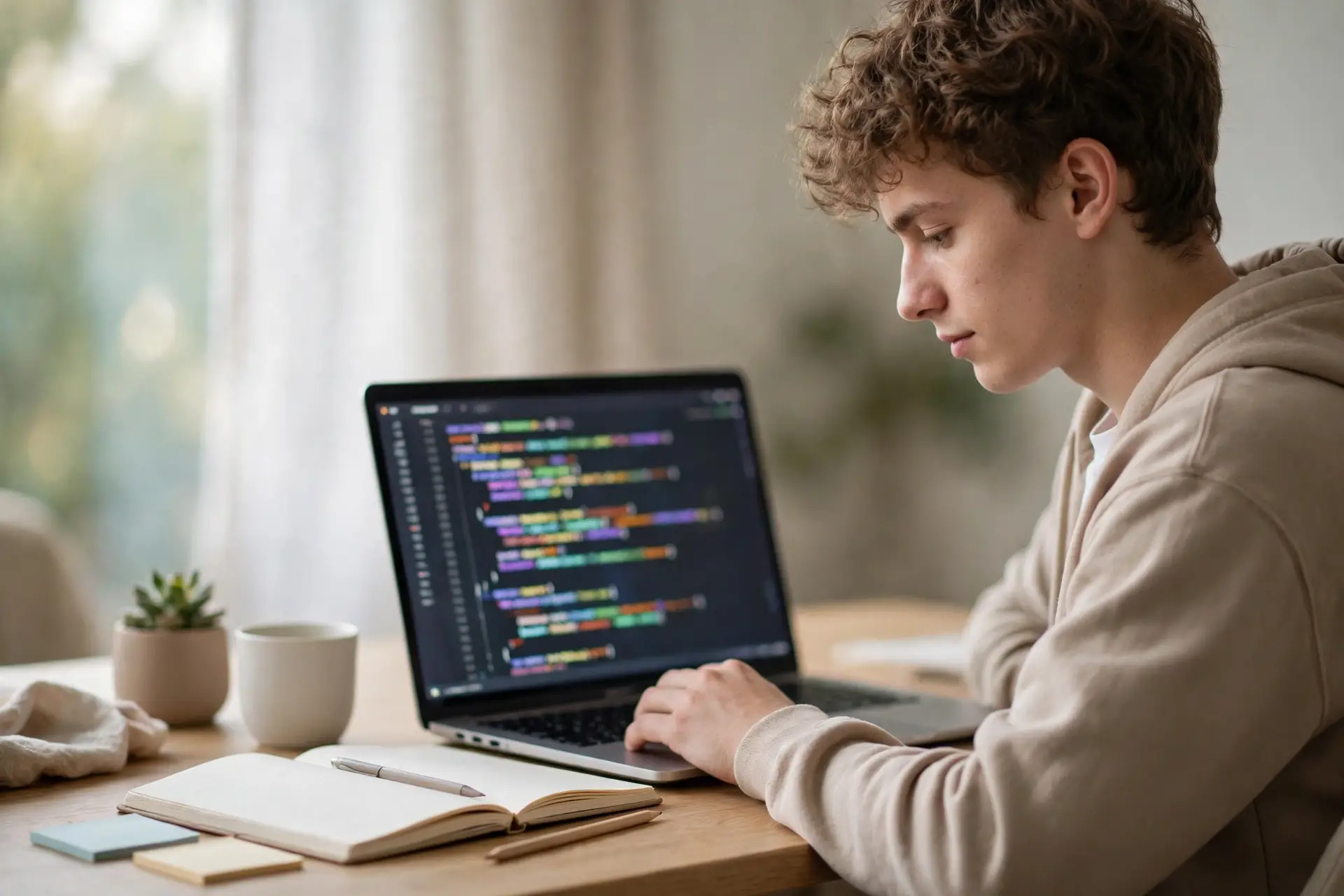
Starting programming can feel like standing at the bottom of a very tall ladder, but python for beginners is the friendliest first rung you will find. Python reads almost like plain English, runs on any computer, and powers everything from school projects to the data tools used by major companies. This guide walks you through what Python is, how to set it up, which concepts to learn first, and how to practise so the skill actually sticks.
Why Python Works So Well as a First Language
Every programming language asks you to think in steps, but Python removes much of the friction that puts new learners off. Its syntax is clean and forgiving: you describe what you want the computer to do in short, readable lines instead of wrestling with brackets and semicolons. That matters because beginners learn faster when their energy goes into problem-solving rather than punctuation.
Python is also practical from day one. The same language a student uses for a first script can later automate spreadsheets, analyse data, build a simple website backend, or control a small robot. Teachers value it for the same reason, which is why so many courses on teaching coding and computational thinking start with Python before moving to anything else.
Setting Up Python for Beginners: The First Steps
You need very little to begin. Download the current version of Python from the official website and install it, making sure to tick the option that adds Python to your system path. Then choose a code editor. A simple editor designed for learners, such as the one bundled with Python or a lightweight free alternative, is better than a complex professional tool at this stage.
Once installed, open a terminal or the editor’s console and type your first line: a short instruction that prints a message to the screen. Seeing the computer respond to something you wrote is a small moment, but it confirms your setup works and gives you a safe place to experiment. Save every experiment in its own file with a clear name, because you will return to these early scripts more often than you expect.
The Core Concepts to Learn First
Resist the urge to learn everything at once. A solid beginner path covers a handful of ideas in a sensible order, and each one unlocks the next.
Variables and Data Types
A variable is a named container for a value: a number, a piece of text, or a true-or-false answer. Learning how Python treats whole numbers, decimals and text strings differently will save you confusion later, because many beginner errors are really type errors in disguise.
Choices and Loops
Programs become useful when they can decide and repeat. An “if” statement lets your code choose a path based on a condition, while loops repeat an action without you copying lines by hand. Practise these with tiny challenges, such as printing only the even numbers in a range or asking a user for input until they give a valid answer.
Functions and Lists
Functions package a block of code under a name so you can reuse it, and lists store collections of items you can sort, search and update. Together they are the point where scripts stop being toys and start solving real problems. Strengthening the reasoning behind them pays off quickly, and our guide to improving coding logic and algorithm skills shows how to train that thinking deliberately.
Small Projects That Build Real Skill
Reading about code is not the same as writing it. After the basics, build small, finished projects: a number-guessing game, a personal expense tracker that reads a simple file, a quiz that scores answers, or a tool that renames a folder of files in one go. Each project forces you to combine concepts, look things up, and fix problems you did not anticipate, which is exactly how professional developers learned.
Projects also teach you to analyse a problem before touching the keyboard. Breaking a task into inputs, steps and outputs is the same habit described in our article on applying critical thinking to academic material, applied to code instead of essays.
Keep each project small enough to finish within a few sittings. A completed small project teaches more than an abandoned ambitious one, and a folder of finished scripts becomes encouraging evidence of progress on the days when a new concept refuses to click.
Mistakes Every Beginner Makes (and How to Handle Them)
Your code will break. It will break often, and that is normal rather than a sign you are unsuited to programming. Indentation errors, misspelled variable names and off-by-one loop ranges catch everyone. The skill is not avoiding errors but reading them calmly: Python’s error messages name the file, the line and the type of problem, and working from the last line of the message upwards resolves most issues. When you get stuck, our practical guide to debugging code efficiently offers a methodical routine that works in Python and beyond.
The other common mistake is comparing your week three to someone else’s year three. Programming skill compounds quietly; an hour of focused practice four times a week beats a single exhausting marathon, and a short daily session keeps concepts warm between lessons.
How Long Does It Take to Learn the Basics?
Most learners who practise for thirty to sixty minutes a day can write simple, useful programs within six to eight weeks. That timeline assumes active practice rather than passive watching: typing every example yourself, changing it to see what happens, and breaking it on purpose now and then. Video courses and books help, but the learning happens at the keyboard.
Set milestones instead of deadlines. In your first week, aim to print messages, store values and do basic calculations. By the end of the first month, you should be comfortable with choices, loops and functions. Somewhere in the second month, complete one small project from start to finish without following a tutorial line by line. Reaching each milestone matters more than the calendar, and learners who revisit earlier topics briefly before each session retain far more than those who only move forwards.
Where to Go After the Basics
Once variables, loops, functions and files feel comfortable, choose a direction that matches your goals. Students interested in data can explore spreadsheets, charts and simple statistics. Those who enjoy building things for the web can learn how pages request and display information. Others may prefer automation: scripts that tidy folders, rename batches of photos, or collect information from documents.
Whichever path you choose, keep the beginner habits that got you started: write small programs often, read error messages carefully, and finish what you begin. Python rewards steady learners, and the first script you wrote today is the foundation for all of it.
Keep Building Your Programming Skills
Starting Python is only the first step. These guides from our coding and programming collection will help you turn beginner knowledge into real, job-ready skill:
- Practical tips for improving coding logic and algorithm skills — strengthen the thinking behind your code.
- A step-by-step approach to debugging errors in your programming projects — fix problems methodically instead of guessing.
- Practical tips for debugging code efficiently across multiple languages — debugging habits that transfer to any language.
- Techniques to write modular and scalable code for large projects — structure code that stays manageable as it grows.
- Practical tips for optimising SQL queries for performance — a useful next step once you start working with data.
- How to build a beginner coding portfolio that shows real skills — present your projects so employers take notice.