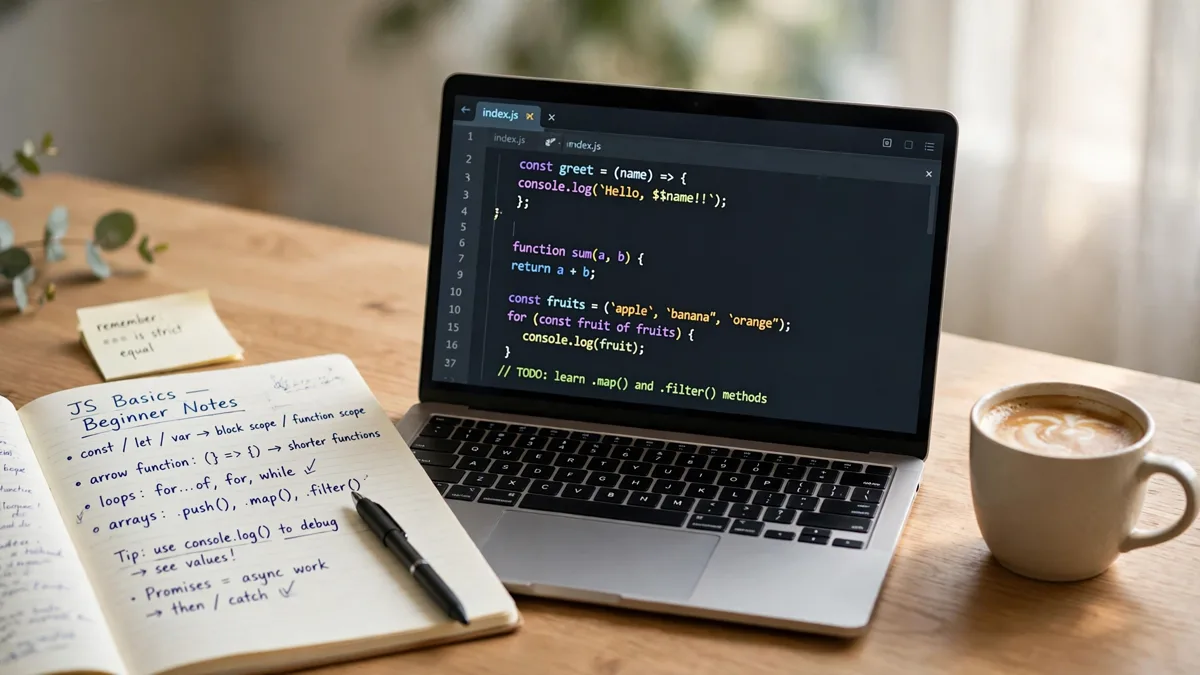
JavaScript for beginners can feel like a wall of strange symbols at first glance. Every tutorial seems to assume you already know three other things, and the error messages are not exactly friendly. The good news is that JavaScript rewards small, steady steps more than almost any other skill, and you can build something real in your browser on day one.
This guide gives you a clear order to learn things in, a simple four-week practice plan, and the mistakes to skip. By the end, you will know exactly what to study first and how to keep going without burning out.
Why JavaScript Is a Friendly First Language
JavaScript runs in every web browser, which means you need no special software to start. Open a browser, open the developer console, and you can write and run code in seconds. That instant feedback makes learning faster, because you see the result of every line right away.
It is also the language behind the interactive parts of nearly every website you use. Buttons that respond, forms that check your input, menus that slide open, all of that is JavaScript. Learning it connects directly to visible, satisfying results instead of abstract exercises.
Employers hire for it constantly, too. Front-end developer roles, web app roles, and even many back-end roles using Node.js expect solid JavaScript. For a beginner choosing a first language with a career in mind, few options are safer.
What to Learn First: The Core Building Blocks
Resist the urge to jump into frameworks like React in your first weeks. Frameworks change every few years, but the core language stays the same, and every framework is built on it. Learn these pieces in this order:
- Variables and data types. Storing text, numbers, and true or false values, and knowing the difference between them.
- Operators and comparisons. Simple maths, plus checking whether things are equal, greater, or smaller.
- Conditionals. Making your code choose a path with if and else statements.
- Loops. Repeating an action many times without writing it out by hand.
- Functions. Grouping steps into a named block you can reuse anywhere.
- Arrays and objects. Holding lists of items and grouped information, which is how real data is stored.
- The DOM. Selecting elements on a web page and changing them, which is where JavaScript becomes visible.
You do not need to master each block before moving on. A working understanding is enough, because you will meet these ideas again in every project, and repetition in real code teaches faster than rereading notes.
The reference most developers keep open while they learn is MDN Web Docs, which explains each of these topics with examples you can edit and run. Treat it as your dictionary: look things up there instead of guessing.
If you have already tried another language, our guide to starting Python step by step shows the same building blocks from a different angle, and the comparison will deepen your understanding of both.
A Simple Four-Week Practice Plan
Consistency beats intensity. Thirty to forty-five minutes a day for four weeks will take you further than one exhausted weekend marathon.
Week one: variables, data types, operators, and conditionals. End the week by writing a tiny program that asks for an age and replies with a message based on it.
Week two: loops and functions. Rewrite your week one program using a function, then write a function that counts, totals, or filters a list of numbers.
Week three: arrays and objects. Build a small contact list stored as objects, and print each contact in a tidy format.
Week four: the DOM. Put a button on a page and make it change text, colours, or a counter when clicked. This is the moment the language clicks for most people.
Keep every exercise in one folder, even the tiny ones. Looking back over four weeks of small files shows you how far you have come, and that record is exactly what keeps most beginners going in month two, when the novelty wears off and steady habits take over.
When something breaks, and it will, slow down and read the error message word by word. Our walkthrough of debugging errors step by step turns that frustrating moment into a repeatable method, and the companion piece on debugging code efficiently shows how the same habits work in any language.
JavaScript for Beginners: First Projects That Teach Real Skills
Projects teach what tutorials cannot, because they force you to combine pieces on your own. Keep them small and finish them, since a finished tiny project teaches more than an abandoned big one.
Start with a tip calculator, a to-do list, or a quiz with five questions. Each one uses input, logic, and page updates, which is most of what real web apps do.
Here is a real example of why this matters. A shop assistant named Priya wanted to move into an office role that asked for basic web skills. She spent her evenings for a month building a small expense tracker for her own household budget, adding one feature at a time. At her interview she opened the tracker on her phone, explained how the totals updated, and got the job. The project was simple, but it proved she could finish something real.
Once you have two or three finished pieces, present them properly. Our guide to building a beginner coding portfolio shows how to turn small projects into evidence an employer can judge.
Mistakes Beginners Make and How to Avoid Them
The most common mistake is watching tutorials without writing code. Understanding a video and writing working code are different skills, and only the second one counts. Type every example yourself, then change it and predict what will happen.
The second mistake is copying error fixes from forums without reading them. You will fix today’s problem and learn nothing, so the same problem returns next week. Read the error, find the line it names, and check that line first.
The third mistake is comparing your week two with someone else’s year two. Progress in programming is invisible day to day and obvious month to month. Keep a short log of what you built each week, and judge yourself against that log.
As your programs grow, structure starts to matter. The habits in our piece on improving coding logic and algorithm skills will help your thinking, and the guide to writing modular, scalable code shows how small, tidy functions keep bigger projects manageable.
Begin Before You Feel Ready
You now have the order, the plan, and the projects. None of it requires talent or a computer science degree, just a browser and a daily half hour.
Open the console today and write your first few lines. A month from now you will be glad you started on an ordinary day instead of waiting for the perfect one.